Show/Hide Code
library(wordcloud)
library(wordcloud2)在 R 中,有两个包可以用来创建词云: wordcloud 和 wordcloud2 。
library(wordcloud)
library(wordcloud2)由于 wordcloud2 生成的词云无法被 quarto正确渲染,因此需要使用 htmltools 包来处理。
library(htmltools)
library(knitr) # 需要 knitr 来获取代码块标签

embed_widget <- function(widget, height = "400px", width = "100%") {
  # 步骤 1: 生成一个基于当前代码块标签的、独一无二的文件名
  # 这样可以防止多个小部件相互覆盖文件
  chunk_label <- opts_current$get('label')
  filename <- paste0("./wordcloud/wc-", chunk_label, ".html")

  # 步骤 2: 将小部件保存为一个独立的、自包含的HTML文件
  library(htmlwidgets)
  saveWidget(widget, filename, selfcontained = TRUE)

  # 步骤 3: 创建并返回一个指向该文件的 iframe HTML 标签
  tags$iframe(
    src = filename,
    height = height,
    width = width,
    style = "border:none;"
  )
}在社交媒体上常用. 然而, Building a wordcloud is a pitfall on its own, except if it is done for aesthetic reasons:
Area is a poor metaphor of a numeric value, it is hardly perceive by the human eye
Longer words appear bigger by construction
wordcloud2wordcloud2 包是 R 中最好的词云包, 提供丰富的功能和更美观的输出。
head(demoFreq) |> knitr::kable(caption = "示例数据,两列, 第一列是word, 第二列是频率")| word | freq | |
|---|---|---|
| oil | oil | 85 |
| said | said | 73 |
| prices | prices | 48 |
| opec | opec | 42 |
| mln | mln | 31 |
| the | the | 26 |
p <- wordcloud2(data = demoFreq, size = 1.6) # 词云示例
embed_widget(p)
词云示例
colorp <- wordcloud2(demoFreq, size=1.6, color='random-dark')
embed_widget(p)p <- wordcloud2(demoFreq, size=1.6, color=rep_len(c("green","blue"), nrow(demoFreq)))
embed_widget(p)p <- wordcloud2(demoFreq, size=1.6, color='random-light', backgroundColor="black")
embed_widget(p)shapeshape 参数来自定义词云的形状。可用的形状有:
p <- wordcloud2(demoFreq, size = 0.7, shape = 'star')
embed_widget(p)
或者使用图片作为蒙版:
# 自己测试没有成功
wordcloud2(
  demoFreq,
  figPath = "~/Desktop/R-graph-gallery/img/other/peaceAndLove.jpg",
  size = 1.5,
  color = "skyblue",
  backgroundColor = "black"
)
使用三个参数旋转文字: minRotation , maxRotation 和 rotateRatio
p <- wordcloud2(
  demoFreq,
  size = 2.3,
  minRotation = -pi / 6, # 最小旋转角度
  maxRotation = -pi / 6, # 最大旋转角度
  rotateRatio = 1 # 旋转比例
)
embed_widget(p)p <- wordcloud2(
demoFreqC,
size = 2,
# fontFamily = "Pingfang SC",
color = "random-light",
backgroundColor = "grey"
)
embed_widget(p)函数 letterCloud 允许使用字母或单词作为词云的遮罩
# 字母遮罩
letterCloud(
  demoFreq,
  word = "R",
  color = 'random-light',
  backgroundColor = "black"
)

# 单词遮罩
letterCloud(demoFreq, word = "PEACE", color = "white", backgroundColor = "pink")knitr::include_graphics("./image/wc-letter.png")
knitr::include_graphics("./image/wc-word.png")

字母和单词遮罩示例
# 安装 webshot 包(如未安装)
library(webshot)
# 安装 PhantomJS(仅需安装一次,用于网页截图)
webshot::install_phantomjs()

# 创建词云图对象
my_graph <- wordcloud2(demoFreq, size = 1.5)

# 保存为 HTML 文件(selfcontained = FALSE 表示资源分离存储)
library(htmlwidgets)
saveWidget(my_graph, "tmp.html", selfcontained = FALSE)

# 使用 webshot 将 HTML 文件导出为 PDF 文件
# delay 参数确保词云渲染完成,vwidth/vheight 设置输出尺寸
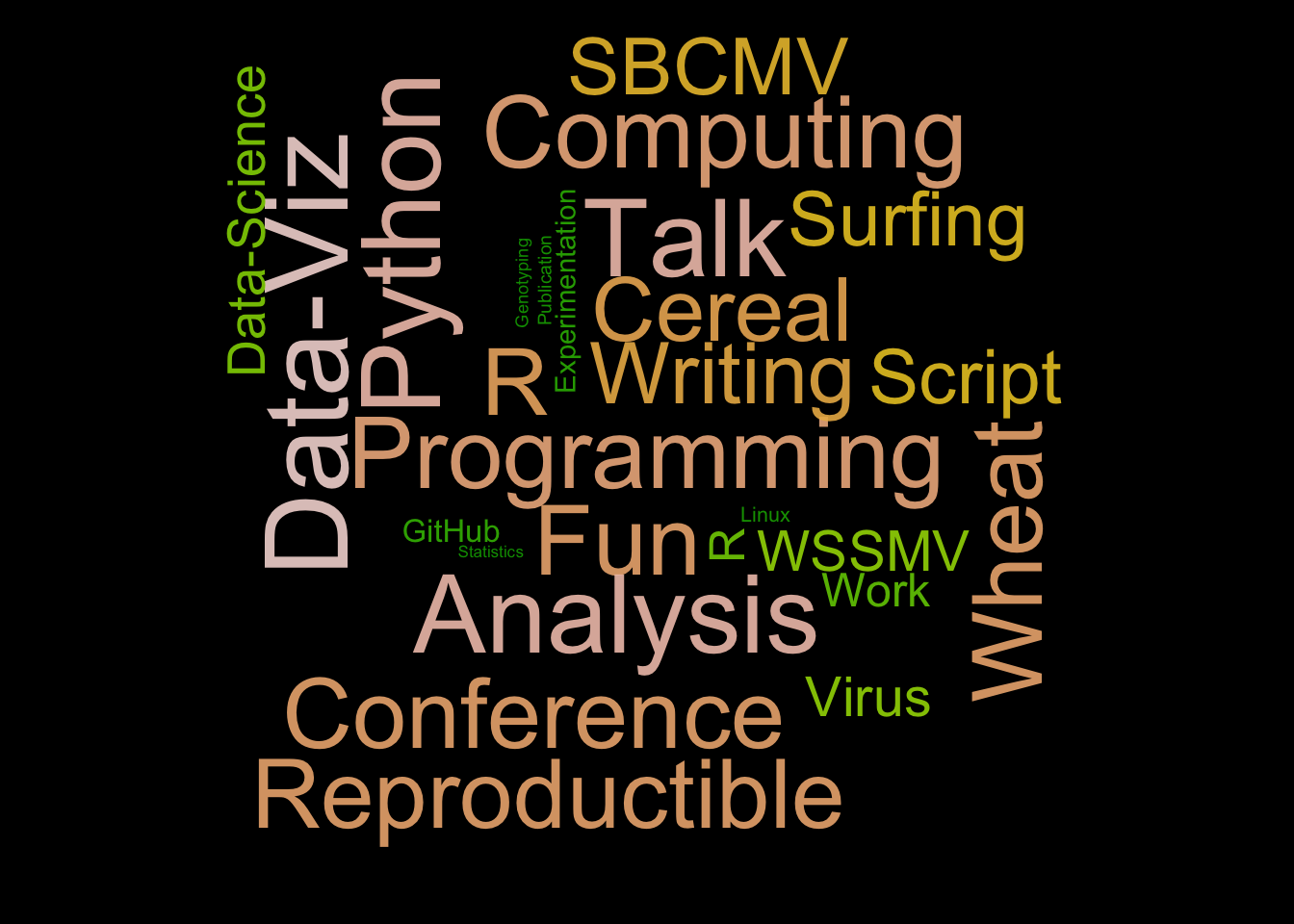
webshot("tmp.html", "fig_1.pdf", delay = 5, vwidth = 480, vheight = 480)wordcloudwordcloud 包提供了基本的词云功能,但在可定制性和美观性方面不如 wordcloud2 包。
# 构建词语向量
a <- c(
    "Cereal",
    "WSSMV",
    "SBCMV",
    "Experimentation",
    "Talk",
    "Conference",
    "Writing",
    "Publication",
    "Analysis",
    "Bioinformatics",
    "Science",
    "Statistics",
    "Data",
    "Programming",
    "Wheat",
    "Virus",
    "Genotyping",
    "Work",
    "Fun",
    "Surfing",
    "R",
    "R",
    "Data-Viz",
    "Python",
    "Linux",
    "Programming",
    "Graph Gallery",
    "Biologie",
    "Resistance",
    "Computing",
    "Data-Science",
    "Reproductible",
    "GitHub",
    "Script"
)

# 为每个词语随机分配一个频率(0~1之间,步长0.01)
b <- sample(seq(0, 1, 0.01), length(a), replace = TRUE)

# 设置图形背景为黑色
par(bg = "black")

wordcloud(
    words = a, # 词语向量
    freq = b, # 频率向量
    col = terrain.colors(length(a), alpha = 0.9), # 颜色方案
    rot.per = 0.3 # 旋转比例
)